AI & Productivity14 min read
How to Build Your First AI Agent in 2026: A Practical Guide
By AI Jungle Team
Skip the chatbot tutorials. Learn how to build a real AI agent that searches the web, reads pages, and writes reports — with working Python code, real costs, and framework comparisons for March 2026.
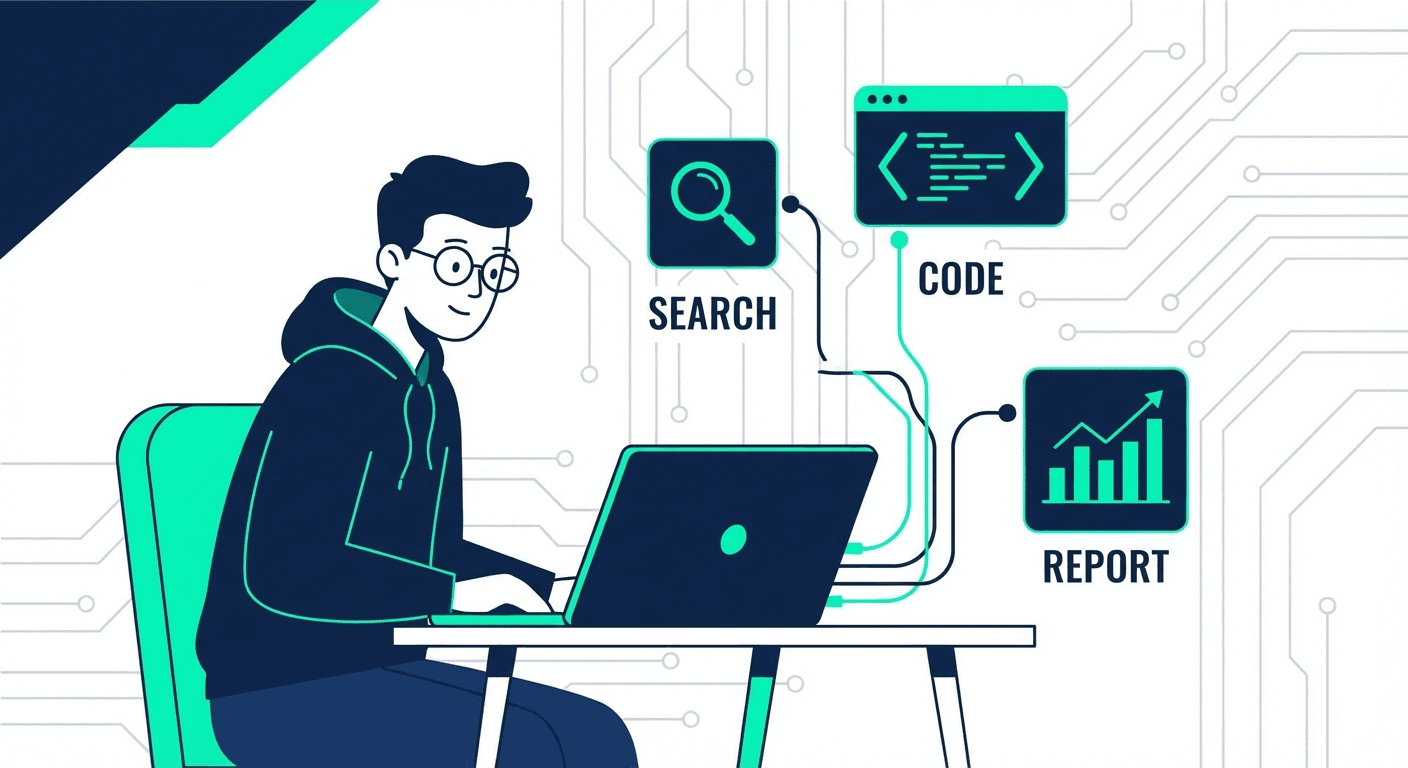
Most "AI agent" tutorials teach you to build a chatbot. You paste an API key, write a system prompt, and call it an agent. That's not an agent. That's a text box with a personality.
An actual AI agent does things. It takes a goal, breaks it into steps, uses tools to execute those steps, handles errors when things go wrong, and delivers a result — without you holding its hand through every decision.
We've built agents that publish blog posts, monitor websites, send morning briefings, and manage infrastructure — one of them earns money while we sleep. In this guide, we'll show you how to build your first real one — a research agent that searches the web, synthesizes findings, and writes a structured report. No fluff, no theory-only nonsense. Just working code and real costs.
What Actually Makes Something an AI Agent
Before writing a single line of code, you need to understand the four properties that separate an agent from a glorified chatbot:
- Autonomy — It makes decisions without asking you at every step. Given a goal like "research the top 5 CRM tools for small businesses," it decides what to search, what to read, and how to organize the output.
- Tool use — It can interact with the outside world. Web search, file I/O, API calls, database queries. A chatbot just talks. An agent acts.
- Memory — It remembers what it's done, what it's found, and what it still needs to do. Not just within a single message, but across an entire task execution.
- Goal pursuit — It works toward a defined objective and can evaluate whether it's getting closer or going off track.
If your "agent" can't do all four, it's a chatbot with extra steps. That's fine for some use cases — but let's build the real thing. If you're still fuzzy on the distinction, our guide on what AI agents actually are breaks it down further.
The Stack: Picking Your Framework in March 2026
The AI agent ecosystem has matured fast. Six months ago, you had two real options. Now you have six — including two official SDKs from the biggest AI labs. Here's an honest comparison:
Claude Agent SDK (Anthropic) — NEW
Best for: Building agents with Claude Code's full capabilities — file editing, command execution, complex reasoning.
- Pros: First-party SDK from Anthropic. Your agent gets the same tool use, extended thinking, and code execution capabilities as Claude Code itself. Custom tools are implemented as in-process MCP servers. Built-in thinking configuration (adaptive, enabled, disabled) for fine-grained control.
- Cons: Locked to Claude models. Newer SDK, so community examples are still growing.
- When to pick it: You want Claude's reasoning quality with production-grade agent capabilities and don't need multi-model support.
OpenAI Agents SDK — NEW
Best for: Multi-agent workflows with OpenAI models, especially if you need voice agents.
- Pros: Lightweight, few abstractions (learned from Swarm's simplicity). Built-in tracing for debugging. Realtime voice agent support with automatic interruption detection. Human-in-the-loop mechanisms out of the box.
- Cons: OpenAI-only. Voice features require specific model access.
- When to pick it: You're in the OpenAI ecosystem and want multi-agent orchestration with minimal framework overhead.
LangGraph (LangChain)
Best for: Complex production workflows with branching logic at scale.
- Pros: The most mature framework. State machine architecture gives you full control over agent flow. Model-agnostic. Proven in production at LinkedIn, AppFolio, and other large deployments. Now the default runtime for all LangChain agents.
- Cons: Steep learning curve. The graph-based mental model takes time to internalize. Overkill for simple agents.
- When to pick it: You're building production-grade systems and need fine-grained control over agent state and routing.
CrewAI
Best for: Rapid prototyping and multi-agent collaboration where different "roles" work together.
- Pros: Intuitive role-based mental model (researcher, writer, reviewer). Get a working multi-agent system in hours, not days. Added multimodal support and agentic RAG in recent versions.
- Cons: Less control than LangGraph for production edge cases. Can be opaque about what's happening under the hood. Token usage can balloon with multi-agent chatter.
- When to pick it: Your task naturally decomposes into distinct roles, or you're building a POC fast.
AutoGen (Microsoft)
Best for: Research-oriented multi-agent conversations and iterative refinement.
- Pros: Strong multi-agent conversation patterns. Good for tasks where agents need to debate and refine outputs. Backed by Microsoft Research.
- Cons: More academic than production-ready. Conversation-heavy approach burns tokens. Setup is verbose.
- When to pick it: You're doing research or need agents to iterate on complex analyses.
The emerging pattern: LangGraph + CrewAI
A popular hybrid approach in 2026 is using LangGraph as the "skeleton" of your application (handling database, API routing, state management) with CrewAI as a specific "node" inside that graph for the AI-powered steps. Best of both worlds.
Our recommendation for your first agent
Use the Claude Agent SDK or Anthropic's tool use API directly. No framework. Here's why: frameworks add abstraction before you understand the fundamentals. Build your first agent with raw API calls and tool definitions. You'll understand exactly what's happening. Then graduate to LangGraph or CrewAI when you actually need multi-agent orchestration.
Step-by-Step: Build a Research Agent
We're building an agent that takes a research topic, searches the web, reads relevant pages, and produces a structured report. Here's the architecture:
User gives topic → Agent plans search queries → Executes searches →
Reads top results → Synthesizes findings → Writes structured report
Step 1: Define Your Tools
Your agent needs tools to interact with the world. For a research agent, you need:
tools = [
    {
        "name": "web_search",
        "description": "Search the web for information on a topic. Returns titles, URLs, and snippets.",
        "input_schema": {
            "type": "object",
            "properties": {
                "query": {"type": "string", "description": "The search query"}
            },
            "required": ["query"]
        }
    },
    {
        "name": "read_webpage",
        "description": "Fetch and read the content of a webpage. Returns the main text content.",
        "input_schema": {
            "type": "object",
            "properties": {
                "url": {"type": "string", "description": "The URL to read"}
            },
            "required": ["url"]
        }
    },
    {
        "name": "write_report",
        "description": "Save the final research report to a file.",
        "input_schema": {
            "type": "object",
            "properties": {
                "filename": {"type": "string"},
                "content": {"type": "string"}
            },
            "required": ["filename", "content"]
        }
    }
]
Step 2: Implement the Tool Functions
Each tool definition needs a real implementation behind it:
import requests
from bs4 import BeautifulSoup

def web_search(query: str) -> str:
    # Use SerpAPI, Brave Search API, or Tavily
    # Tavily is purpose-built for AI agents — we recommend it
    response = tavily_client.search(query, max_results=5)
    results = []
    for r in response["results"]:
        results.append(f"Title: {r['title']}\nURL: {r['url']}\nSnippet: {r['content']}\n")
    return "\n".join(results)

def read_webpage(url: str) -> str:
    response = requests.get(url, timeout=10)
    soup = BeautifulSoup(response.text, "html.parser")
    # Strip scripts, styles, nav elements
    for tag in soup(["script", "style", "nav", "footer", "header"]):
        tag.decompose()
    text = soup.get_text(separator="\n", strip=True)
    return text[:5000]  # Truncate to avoid token explosion

def write_report(filename: str, content: str) -> str:
    with open(filename, "w") as f:
        f.write(content)
    return f"Report saved to {filename}"
Step 3: Build the Agent Loop
This is the core — the loop that gives your agent autonomy:
import anthropic

client = anthropic.Anthropic()

def run_agent(topic: str):
    messages = [
        {
            "role": "user",
            "content": f"""Research the following topic and write a comprehensive report:

            Topic: {topic}

            Instructions:
            1. Search for 3-5 different angles on this topic
            2. Read the most relevant sources
            3. Synthesize findings into a structured report with sections
            4. Include specific data points and cite sources
            5. Save the report to a file

            Be thorough but focused. Quality over quantity."""
        }
    ]

    while True:
        response = client.messages.create(
            model="claude-sonnet-4-6",  # $3/$15 per million tokens
            max_tokens=4096,
            tools=tools,
            messages=messages
        )

        # Check if the agent wants to use tools
        if response.stop_reason == "tool_use":
            # Execute each tool call
            tool_results = []
            for block in response.content:
                if block.type == "tool_use":
                    result = execute_tool(block.name, block.input)
                    tool_results.append({
                        "type": "tool_result",
                        "tool_use_id": block.id,
                        "content": result
                    })

            # Feed results back to the agent
            messages.append({"role": "assistant", "content": response.content})
            messages.append({"role": "user", "content": tool_results})

        elif response.stop_reason == "end_turn":
            # Agent is done
            print("Research complete!")
            break

def execute_tool(name: str, inputs: dict) -> str:
    if name == "web_search":
        return web_search(inputs["query"])
    elif name == "read_webpage":
        return read_webpage(inputs["url"])
    elif name == "write_report":
        return write_report(inputs["filename"], inputs["content"])
Step 4: Run It
run_agent("Best practices for AI agent error handling in production systems")
The agent will typically make 5-12 tool calls — a few searches, read 3-4 pages, then write the report. The whole execution takes 30-60 seconds and costs about $0.03-0.10 depending on how much content it reads.
Real Costs: What This Actually Costs to Run in March 2026
Let me give you real numbers. API pricing has dropped significantly — here's what it actually costs to run agents right now:
| Model | Input (per 1M tokens) | Output (per 1M tokens) | Best for |
|---|---|---|---|
| Claude Sonnet 4.6 | $3.00 | $15.00 | Best reasoning-to-cost ratio for agents |
| Claude Haiku 4.5 | $0.25 | $1.25 | Simple agent tasks, high-volume |
| Claude Opus 4.6 | $5.00 | $25.00 | Complex multi-step reasoning |
| GPT-4o | $2.50 | $10.00 | Good all-rounder, slightly cheaper output |
| GPT-4o-mini | $0.15 | $0.60 | Budget agent tasks |
A typical research agent run (5-12 tool calls, reading 3-4 web pages) costs:
| Component | Cost | Notes |
|---|---|---|
| Claude Sonnet 4.6 | ~$0.03-0.10 per run | Depends on pages read |
| Tavily Search API | Free tier: 1,000 searches/month | Plenty for personal use |
| Hosting | $0-6/month | Run locally, or Hetzner CAX21 ARM at €6.49/mo |
| Total per research report | $0.03-0.10 | About 10x cheaper than the time you'd spend |
Monthly costs for a production agent running a few times per day: $10-40/month in API costs. For context, over 90% of Indian organisations want to deploy AI agents by mid-2026 — and many of them assume it costs 10x what it actually does.
Cost optimization tip: Use prompt caching for agents with repetitive system prompts. Cache reads cost only 10% of the base input price, which can cut your agent costs by 50-80% for high-volume use cases.
Common Mistakes Beginners Make
After building dozens of agents and watching the India AI Impact Summit debates about enterprise adoption, these are the patterns that kill most agent projects:
1. Giving the agent too many tools at once
Start with 2-3 tools. Every tool you add increases the chance the agent picks the wrong one. Add tools only when you hit a wall without them.
2. Not capping execution loops
An agent without a maximum iteration count can loop forever, burning tokens. Always set a max_iterations limit (we use 15-20 for research agents, 30 for complex multi-step workflows).
3. Skipping error handling on tool calls
Web pages go down. APIs return 500s. Search returns garbage. Every tool function needs try/except blocks that return useful error messages — not stack traces — so the agent can adapt.
4. Trusting the output without verification
Agents hallucinate less than chatbots because they have real data from tools. But they still summarize incorrectly and sometimes misattribute quotes. Always have a human review step for anything customer-facing. This is true for every model — Claude, GPT-4o, Gemini, all of them.
5. Over-engineering the first version
Your first agent should take a weekend to build. If it's taking weeks, you're building a platform, not an agent. Ship something that works for one use case, then iterate.
When NOT to Build an Agent
This is the part most tutorials skip. Sometimes an agent is overkill:
- Simple data transformations — A Python script with pandas is faster, cheaper, and more reliable than an agent.
- Deterministic workflows — If every step is known in advance with no branching, use a pipeline, not an agent. Tools like n8n or Make.com handle this better.
- High-volume, low-complexity tasks — Processing 10,000 invoices the same way? Use batch processing. An agent adds latency and cost for no benefit.
- When accuracy must be 100% — Agents make judgment calls. If a wrong call has serious consequences (medical, legal, financial), keep a human in the loop or use rule-based systems.
The rule of thumb: If you can write the logic as a flowchart with no "it depends" branches, you don't need an agent. If the task requires judgment, adaptation, or multi-source synthesis, an agent earns its keep. We explored this trade-off in depth in our ChatGPT vs personal AI agent comparison.
What to Build Next
Once your research agent works, here's a natural progression:
- Add memory — Store past research in a vector database so the agent can reference previous findings. Chromadb is the easiest starting point.
- Add scheduling — Run the agent on a cron job to produce daily briefings on topics you care about. A $6.49/month Hetzner VPS handles this easily.
- Add multi-agent orchestration — Have a "researcher" agent feed into a "writer" agent using CrewAI or the OpenAI Agents SDK's multi-agent support.
- Add human-in-the-loop — Build a simple UI where the agent asks for clarification when it's unsure. Both the Claude Agent SDK and OpenAI Agents SDK support this natively now.
Each of these is a weekend project. Stack them and you'll have a genuine AI-powered workflow within a month. If you want to see what a fully built-out personal AI agent looks like in practice, check our guide to building an AI assistant as an engineer.
FAQ
How long does it take to build a basic AI agent?
A simple research agent like the one in this guide takes 2-4 hours for someone comfortable with Python and APIs. If you're new to API integrations, budget a weekend. The code itself is straightforward — most of the time goes into refining the system prompt and testing edge cases.
Do I need a GPU to run AI agents?
No. If you're using cloud APIs (Claude, GPT-4o, etc.), everything runs on the provider's infrastructure. You just need a machine that can run Python and make HTTP requests. If you want to run open-source models locally (Llama 3, Mistral), you'll need at least 16GB of VRAM for decent performance.
Which AI model is best for building agents in 2026?
Claude Sonnet 4.6 for the best reasoning-to-cost ratio. Claude Opus 4.6 when you need maximum capability. GPT-4o is competitive and slightly cheaper on output tokens ($10 vs $15 per million). For budget-sensitive applications, Claude Haiku 4.5 ($0.25/$1.25) or GPT-4o-mini ($0.15/$0.60) work well for simpler agent tasks. The model matters less than your tool definitions and system prompt.
How much does it cost to run an AI agent?
For personal use, $5-40/month depending on how often you run it. A research agent doing 10 runs per day with Claude Sonnet 4.6 costs roughly $15-30/month in API fees. Production agents serving multiple users will scale with usage — budget $0.03-0.15 per agent run as a baseline. Use prompt caching and batch APIs to cut costs further.
Can I build an AI agent without coding?
Platforms like n8n, Make.com, and Relevance AI offer no-code agent builders. They work for simple workflows but hit limits fast. If you want full control — custom tools, complex logic, reliable error handling — you'll need to write code. The Claude Agent SDK and OpenAI Agents SDK both have Python-first interfaces designed for developers.
What's the difference between an AI agent and an AI workflow?
A workflow follows a predefined sequence of steps. An agent decides its own steps based on a goal. Workflows are deterministic and predictable. Agents are adaptive and can handle unexpected situations. Most production systems in 2026 use a hybrid — agent reasoning within structured workflow guardrails. LangGraph's state machine approach is literally this pattern.
Building AI agents is what we do every day at AI Jungle. If you'd rather have someone build this for you — production-grade, tested, and maintained — book a call with us and let's talk.
Sources: Claude Agent SDK, OpenAI Agents SDK, Claude API Pricing, OpenAI API Pricing, EY AIdea of India 2026
Not sure if an AI agent is right for you?
The AI Agent Decision Guide walks you through a 20-question framework to figure out what setup actually fits your workflow. Free PDF.
Keep Reading

AI & Productivity
Harness Engineering: Why the Structure Around the Model Matters More Than the Model
The model debate is mostly settled. What separates production AI from toy demos is the structure around it — memory, learning loops, tenant isolation. Here is what we learned building an agent template.
AI & Productivity
How to Build an AI Agent That Gets Smarter Without Retraining
How to build an AI agent that improves itself from user corrections — no model retraining needed. Real production system: two Python scripts, emergent learning behavior.
Build in Public
The Real Job of an AI Agent Is Operational Memory
Production notes on why the best AI agents do more than write messages: they remember context, prepare meetings, coach decisions, and improve follow-ups.