AI & Productivity15 min read
10 AI Prompts That Save Me 2 Hours Every Day (With Templates)
By AI Jungle
Not generic prompt lists. These are the 10 prompts I actually use every day to run a consultancy, manage clients, and stay sane. Copy-paste ready.

I've tested hundreds of AI prompts over the past two years. Most are garbage — either too generic to be useful or too specific to apply to your work. These 10 are the ones that survived. I use them every single day, and they save me roughly 2 hours. Not in theory. In practice.
This isn't a listicle scraped from Reddit. These are the best AI prompts for productivity that I actually rely on to run a consultancy, manage clients across multiple time zones, and still log off at a reasonable hour. Every single one is copy-paste ready.

Why Do Most AI Prompts Fail?
Here's the uncomfortable truth: a prompt that says "write me an email" will always produce something mediocre. Generic input, generic output — every time. The secret behind AI prompts that actually save time is a simple formula: context + structure + output format. A prompt that specifies your role, the audience, the tone, key constraints, and the exact format you need will outperform a vague request by an order of magnitude. That's what separates professionals who use AI well from everyone else fumbling with ChatGPT.
The 10 prompts below all follow this principle. Steal them.
1. The Email Triage Prompt
What it does: Categorizes your inbox so you know what to tackle first — before you even open a single message.
I'm going to paste a list of email subjects and senders from my inbox this morning.
Categorize each one into exactly one of these buckets:
- RESPOND TODAY (urgent, time-sensitive, or from key stakeholders)
- RESPOND THIS WEEK (important but not urgent)
- DELEGATE (someone on my team should handle this — suggest who if obvious)
- ARCHIVE (informational, no action needed)

For each RESPOND TODAY item, write a one-sentence summary of what my response
likely needs to address. Here are the emails:

[PASTE EMAIL SUBJECTS + SENDERS]
Time saved: ~20 minutes every morning Pro tip: Run this before you open your inbox — it prevents you from getting pulled into low-priority threads first thing.
2. The Meeting Prep Prompt
What it does: Turns a calendar entry into a full briefing document in 60 seconds.
I have a meeting coming up. Here are the details:
- Company: [COMPANY NAME]
- Attendees: [NAMES AND TITLES]
- Purpose: [MEETING OBJECTIVE]
- My role/company context: [YOUR CONTEXT]

Prepare a meeting brief that includes:
1. Background on the company (recent news, key metrics, market position)
2. Brief background on each attendee (role, LinkedIn-style summary)
3. 5 talking points aligned with the meeting purpose
4. 3 smart questions I should ask them
5. 3 questions they're likely to ask me (with suggested responses)

Keep the total brief under 500 words. Use bullet points, not paragraphs.
Time saved: ~25 minutes per meeting Pro tip: Feed it previous meeting notes or email threads for dramatically better context.
3. The "Write Like Me" Email Drafter
What it does: Drafts professional emails that actually sound like you wrote them.
Draft an email with these parameters:
- Recipient: [NAME, ROLE, RELATIONSHIP TO ME]
- Context: [WHAT'S THIS ABOUT, WHAT HAPPENED BEFORE]
- Objective: [WHAT I WANT TO ACHIEVE WITH THIS EMAIL]
- Tone: [formal / friendly / firm / apologetic / enthusiastic]
- Key points to include: [BULLET YOUR MAIN POINTS]
- Constraints: [MAX LENGTH, THINGS TO AVOID, SENSITIVE TOPICS]

Write it in first person. Keep it concise — no more than 150 words unless the
complexity demands it. No corporate jargon. End with a clear next step or ask.
Time saved: ~10 minutes per email (multiply by the 8-12 emails I draft daily) Pro tip: Paste 3 emails you've previously written and add "Match this writing style" to the prompt. The difference is night and day.
4. The Meeting Notes to Actions Extractor
What it does: Turns messy meeting notes into a structured action plan with owners and deadlines.
Here are my raw notes from a meeting. They're messy — that's fine.

Extract and organize them into this exact structure:
## Meeting Summary (3 sentences max)
## Decisions Made (bullet list)
## Action Items (table format: Action | Owner | Deadline | Priority)
## Open Questions (things that still need answers)
## Follow-Up Needed (who needs to be looped in and about what)

If deadlines weren't mentioned, flag them as "TBD — NEEDS DEADLINE."
If ownership is unclear, flag it as "UNASSIGNED — NEEDS OWNER."

Raw notes:
[PASTE YOUR NOTES]
Time saved: ~15 minutes per meeting Pro tip: Send the structured output to all attendees within 30 minutes of the meeting ending. You'll be the most organized person in every room.
5. The Weekly Update Generator
What it does: Transforms rough bullet points into a polished stakeholder update.
Turn these rough bullet points into a professional weekly stakeholder update:

[PASTE YOUR BULLETS — MESSY IS FINE]

Format the update as:
## Highlights (top 3-4 wins or progress items, confident tone)
## In Progress (what's moving but not done, with expected completion)
## Risks & Blockers (be direct, include impact if not resolved)
## Next Week's Priorities (top 3-5, ranked)

Tone: professional but human. Not corporate-speak. Keep the whole update
under 300 words. Use bold for emphasis on key metrics or dates.
Time saved: ~30 minutes per week Pro tip: Keep a running note on your phone throughout the week. Dump everything into this prompt on Friday afternoon. Total effort: 5 minutes for a polished update.
6. The Competitor Quick-Scan
What it does: Generates a competitive analysis you'd normally spend an hour researching.
Analyze this competitor for me:
- Competitor: [COMPANY NAME + URL]
- My company/product: [YOUR BRIEF CONTEXT]
- Industry: [YOUR INDUSTRY]

Provide:
1. SWOT analysis of the competitor (4 bullets each, keep them specific)
2. Their likely strategy for the next 12 months (based on public signals)
3. Where we beat them (our advantages)
4. Where they beat us (their advantages, be honest)
5. One opportunity they're probably missing that we could exploit

Be direct. I don't need flattery about my own company — I need an honest read.
Time saved: ~45 minutes per competitor Pro tip: Run this for your top 3 competitors quarterly. Paste the previous quarter's output and ask "What changed?" for a trend analysis. For European companies entering the Indian market, this prompt is especially powerful for mapping the local competitive landscape.
7. The Document Summarizer
What it does: Distills lengthy documents into executive-ready summaries with interpretation.
I'm going to paste a section from a long document. Summarize it as:
1. Executive Summary (5 bullet points max, plain language)
2. Key Data Points (any numbers, dates, metrics, or commitments mentioned)
3. What This Means For Us (your interpretation — what should we care about
   and why, given that we are [YOUR CONTEXT])
4. Recommended Action (one sentence — what should we do with this info?)

Document section:
[PASTE CONTENT]
Time saved: ~20 minutes per document Pro tip: Use this on contracts, analyst reports, policy documents, and competitor press releases. The "What This Means For Us" section alone is worth it.
8. The Decision Framework Builder
What it does: Structures fuzzy decisions into a weighted matrix so you stop going in circles.
Help me make this decision systematically:
- Decision: [WHAT YOU'RE DECIDING]
- Options: [LIST YOUR OPTIONS]
- Key criteria: [WHAT MATTERS — e.g., cost, speed, risk, quality, team impact]
- Context: [ANY CONSTRAINTS OR IMPORTANT BACKGROUND]

Build a weighted decision matrix:
1. Suggest weights for each criterion (I can adjust)
2. Score each option 1-5 on each criterion
3. Calculate weighted totals
4. Give me a recommendation with reasoning
5. Flag what would change the answer (sensitivity check)

Present the matrix as a table. Be objective, not diplomatic.
Time saved: ~30 minutes per decision Pro tip: This is especially powerful for hiring decisions, vendor selection, and prioritization debates. Share the matrix with your team — it depersonalizes disagreements.
9. The Negotiation Prep Prompt
What it does: Builds a full negotiation strategy from your position and context.
I'm preparing for a negotiation. Here's the setup:
- What I want: [YOUR IDEAL OUTCOME]
- What I'll accept: [YOUR BOTTOM LINE]
- The other party: [WHO + THEIR LIKELY POSITION]
- Relationship context: [ONGOING PARTNER / ONE-TIME DEAL / INTERNAL STAKEHOLDER]
- Key constraints: [BUDGET, TIMELINE, AUTHORITY LIMITS]

Give me:
1. Opening strategy (how to frame the conversation)
2. My 3 strongest arguments (with supporting logic)
3. Their likely 3 strongest arguments (with counter-responses)
4. Concession ladder (what I give up first → last, and what I ask for in return)
5. BATNA analysis (best alternative if this falls through)
6. One creative option that might satisfy both sides

Be strategic, not generic.
Time saved: ~40 minutes per negotiation Pro tip: Run this before salary negotiations, contract renewals, and partnership discussions. The concession ladder alone changes how you approach the conversation.
10. The "Explain This Like I'm Presenting to the Board"
What it does: Translates complex or technical content into clear, executive-ready language.
I need to present this to a senior/executive audience. Rewrite it as:
1. The Headline (one sentence — what they need to know)
2. The Context (2-3 sentences — why this matters to the business)
3. Key Takeaways (exactly 3, numbered, plain language, no jargon)
4. The Data (only the most important numbers, presented clearly)
5. Recommended Action (what we should do, stated directly)

Constraints: Assume the audience is smart but not technical. No acronyms without
explanation. No hedging language — be clear and direct. Total length under 250 words.

Content to translate:
[PASTE TECHNICAL/COMPLEX CONTENT]
Time saved: ~20 minutes per presentation prep Pro tip: Use this for board decks, investor updates, and any time you need to communicate up the chain. The constraint on jargon forces genuine clarity.
These Are 10 of 50+
These 10 AI prompts are from my personal daily workflow — the ones I reach for before my first coffee. But over the past year, I've built and refined 50+ prompt templates covering communication, research, competitive analysis, personal productivity, and advanced multi-step workflows that chain prompts together for complex tasks.
The AI Productivity Toolkit ($65) includes all 50+ templates with:
- Example outputs so you see exactly what each prompt produces
- Customization guides to adapt every template to your role and industry
- Tool configuration walkthroughs for Claude, ChatGPT, and Perplexity
- Advanced multi-step workflows (like a full competitive analysis pipeline that chains 4 prompts together)
If these 10 resonated with how you actually work, the full toolkit goes much deeper.
The Daily AI-Assisted Routine
Here is how these 10 prompts map to a typical professional's day. The time savings compound as you chain them together.
graph TD
    AM["Morning (30 min saved)"] --> P1["Email Triage Prompt<br/>20 min saved"]
    AM --> P2["Meeting Prep Prompt<br/>25 min saved per meeting"]

    MID["Midday (45 min saved)"] --> P3["Email Drafter<br/>10 min x 5 emails"]
    MID --> P4["Meeting Notes Extractor<br/>15 min per meeting"]
    MID --> P7["Document Summarizer<br/>20 min per document"]

    PM["Afternoon (30 min saved)"] --> P6["Competitor Quick-Scan<br/>45 min per competitor"]
    PM --> P8["Decision Framework<br/>30 min per decision"]
    PM --> P9["Negotiation Prep<br/>40 min per negotiation"]

    EOD["End of Day (15 min saved)"] --> P5["Weekly Update Generator<br/>30 min per week"]
    EOD --> P10["Board-Ready Translation<br/>20 min per presentation"]

    P1 -.- TOTAL["Total: ~2 hours saved per day"]
How Do AI Prompt Savings Compound Over Time?
Here's what most people miss about using AI prompts for professionals: the value compounds.
- Day 1: You save 30 minutes on email triage and drafting. Nice, but not life-changing.
- Week 1: You're saving 2 hours per day across meetings, writing, research, and decisions. You notice you're leaving work earlier.
- Month 1: You've reclaimed an entire workweek. Projects that were stuck start moving because you have headroom to think.
- Month 3: AI is so embedded in your workflow that working without it feels like typing without autocomplete. You're not just faster — you're making better decisions because you have structured frameworks for everything.
The gap between professionals who use AI well and those who don't is already visible. In 12 months, it will be a canyon. And once you hit the ceiling of what copy-paste prompts can do, a personal AI agent takes this to the next level — executing these templates automatically and proactively, with full memory of your business context.
Start with these 10 prompts today. Seriously — pick one, copy it, use it right now. That's all it takes.
Ready to Go Deeper?
Get all 50+ templates -> AI Productivity Toolkit ($65)
Not sure which AI tool to use with these prompts? The Toolkit includes a decision tree and setup guides for Claude, ChatGPT, and Perplexity so you can pick the right tool for each task.
Want these prompts running automatically without you typing them? A personal AI agent can execute these templates on autopilot — delivering morning briefings, email drafts, and meeting prep without you lifting a finger. See What Is an AI Agent? to understand how it works, or read the honest comparison of ChatGPT, human EAs, and AI agents from our 6-month test.
Ready to set one up? Our guide to How to Set Up a WhatsApp AI Agent in 2026 covers both DIY and managed approaches. And for the cost analysis, see our AI Agent vs Human EA comparison.
Not sure if AI agents are right for you yet? Start with the AI Agent Decision Guide to figure out what to automate first.
Related Reading
- What Is an AI Agent? The Business Leader's Guide — When you outgrow copy-paste prompts, AI agents execute these templates automatically with persistent memory.
- Why Busy Professionals Are Switching from ChatGPT to Personal AI Agents — The natural next step after mastering AI prompts: an always-on assistant that runs them proactively.
- ChatGPT vs Human EA vs AI Agent: An Honest Comparison — Six-month test results comparing ChatGPT, human assistants, and AI agents for professional productivity.
- How to Set Up a WhatsApp AI Agent in 2026 — Ready to automate these prompts? Here is how to get an AI agent running on WhatsApp.
- The Complete Guide to Entering the Indian Market in 2026 — These prompts are especially powerful for market research and competitive analysis when entering new markets.
Frequently Asked Questions
What are the best AI prompts for business?
The best AI prompts for business are ones that include specific context, a defined role, clear constraints, and an explicit output format. Generic prompts like "write an email" produce generic results. The prompts in this article — and the 50+ in the AI Productivity Toolkit — follow a structure that consistently produces professional-quality output across communication, research, analysis, and decision-making tasks.
How can AI save time at work?
AI saves time at work by handling the structured, repeatable parts of knowledge work: drafting emails, summarizing documents, preparing meeting briefs, organizing notes into action items, and building analysis frameworks. Most professionals report saving 1-3 hours per day once they integrate AI prompts into their daily workflow. The key is having ready-made templates so you're not spending time crafting prompts from scratch.
Is ChatGPT or Claude better for professional use?
Both are excellent, but they have different strengths. ChatGPT (GPT-4) is strong at creative tasks, broad research, and conversational workflows. Claude excels at long-document analysis, nuanced writing, and following complex multi-step instructions. For most professionals, the best approach is to use both: Claude for detailed analytical work and document processing, ChatGPT for brainstorming and general drafting. The AI Productivity Toolkit includes configuration guides for both.
How much time can AI save per day?
Based on my experience and feedback from hundreds of professionals using these templates, the realistic range is 1.5 to 3 hours per day once prompts are integrated into your routine. The biggest time savings come from email management (20-40 min), meeting prep and follow-up (30-45 min), document processing (20-30 min), and structured decision-making (15-30 min). The compound effect over weeks and months is where the real transformation happens.
Can these prompts help with market research?
Absolutely. The Competitor Quick-Scan, Document Summarizer, and Decision Framework prompts are particularly powerful for market intelligence work. European professionals entering India, for example, use these templates to analyze competitive landscapes, summarize regulatory documents, and structure market entry decisions. See our India Market Entry Guide for the strategic framework that these prompts plug into.
Want More AI Productivity Templates?
These 10 prompts are just the beginning. Our AI Productivity Toolkit includes 50+ advanced templates, workflow automations, and integration guides — everything you need to save 2+ hours every day.
Get the AI Productivity Toolkit → | Book a Free Consultation →
Not sure if an AI agent is right for you?
The AI Agent Decision Guide walks you through a 20-question framework to figure out what setup actually fits your workflow. Free PDF.
Keep Reading

AI & Productivity
Why Busy Professionals Are Switching from ChatGPT to Personal AI Agents
ChatGPT is powerful. But it forgets everything, doesn't know your business, and lives in a browser tab you never open. Here's what's replacing it.

AI & Productivity
We Had 290 Capabilities in Claude Code — Here's What We Actually Needed
We audited our Claude Code setup: 290 capabilities, 24 plugins, 7 code review methods. Here's how we cut it to what matters — and built a tool so you can too.
Build in Public
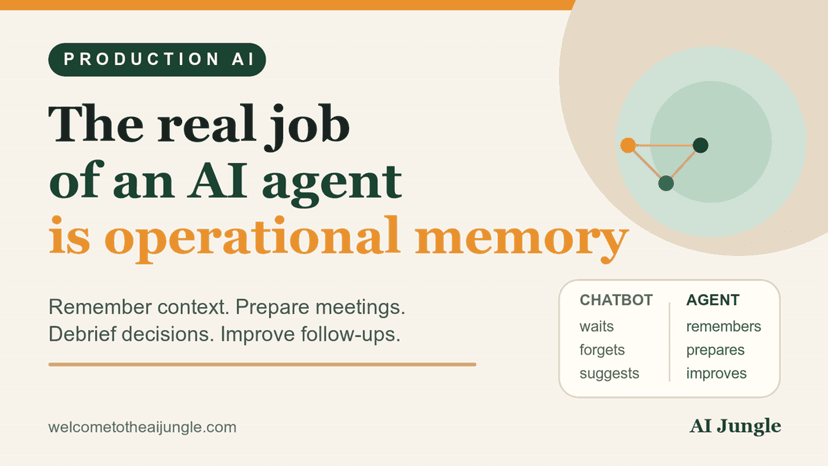
The Real Job of an AI Agent Is Operational Memory
Production notes on why the best AI agents do more than write messages: they remember context, prepare meetings, coach decisions, and improve follow-ups.